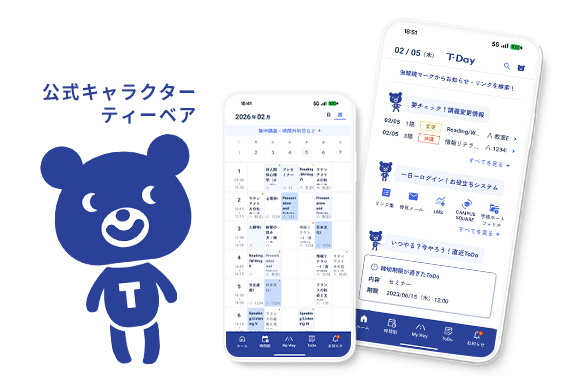
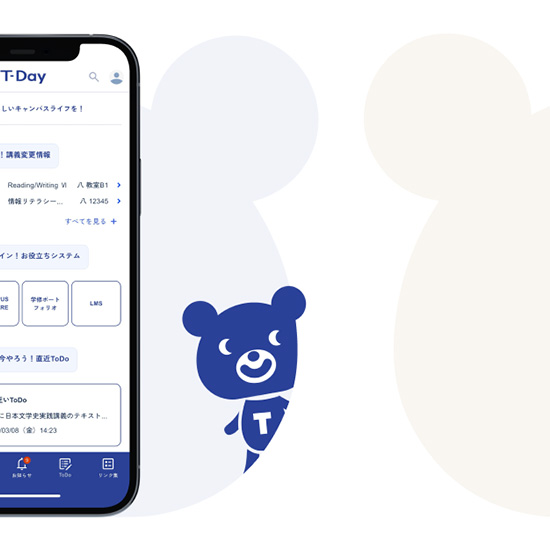
帝京大学では、学生や卒業生、帝京大学で学びたいとお考えの皆さまに必要な情報を届けるツールとして、公式アプリ「T-Day」を提供しています。
本アプリを利用することによって、スマートフォンから大学関連のさまざまな情報をまとめて確認することができます。ぜひ「T-Day」を活用して、充実した生活を過ごしてください。
アプリダウンロード
- ※対応OS:iOS 14.0以降。iPhone、iPad対応。Android 8.0以降。
Web版 ログイン
学生向けアプリ情報
主要機能(2026年4月時点)
- 学内システム(CampusSquare、LMS(学習システム)など)へのアクセス
- 大学からのお知らせ情報の確認
- 時間割・教室情報の確認
- 学生生活や講義のTODO管理
- 教員情報(オフィスアワー・連絡先)
- 就活支援機能(企業・業界情報収集、選考管理、自己分析支援など)
- 学修ポートフォリオ機能(修得目標に関する自己評価、目標設計ロードマップの作成・管理)
- 資産形成アプリ「Money Canvas in T-Day」へのアクセス など
マニュアル・ガイド
お問い合わせ先
アプリログインに関するご質問・不具合
【主な原因と解決策】
- 帝京メールアドレスが分からない場合、「CAMPUSSQUARE」の学生情報参照ページをご確認ください
- ログインパスワードを忘れてしまった、ワンタイムパスワードコードが届かない、機種変更後のログイン方法がわからない場合、「ログインについて」というマニュアル内の「4.初回ログイン及び多要素認証の登録方法」をご参照ください
- ※解決しない場合や、その他の内容については各キャンパスの窓口までお問い合わせください
【各キャンパスの問い合わせ窓口】
板橋キャンパス:教務課
八王子キャンパス:ICTサポートデスク(8号館1階)
宇都宮キャンパス:ITハウスまたは教務課
福岡キャンパス:学務課
アプリに関するお問い合わせ
ログイン後の操作方法がわからない、画面が想定通り動かないなどのご質問・不具合報告や、「新しくこんな機能があったらいいな」「今の機能についてもっとこんなふうに確認できたらいいな」などの要望は、下記よりお問い合わせください。その際、アプリのスクリーンショット(アプリ画面の画像)を添付いただくとより適切な回答をすることができます。
学生以外向けアプリ情報
主要機能(2025年9月時点)
- 帝京大学ニュースの確認
- 卒業後の手続き・問い合わせの確認(卒業生向けアカウントのみ)
- 資産形成アプリ「Money Canvas in T-Day」へのアクセス
マニュアル・利用ガイド
お問い合わせ先
ログイン方法も含め、アプリの操作方法や画面が想定通り動かないなどのご質問・不具合報告や「こんなことができたら/あったらいいな」などのご要望は、下記のお問い合わせフォームよりご連絡ください。
関連リンクRelated Link
Special Report
帝京大学の情報や人をつなぐ T-Day(ティーデイ)
詳しく見る